Your phone shows no update. A friend is talking about the new features. And the worry starts: is my iPhone dead?
No. Nothing switched off, nothing expired, and your phone works exactly as well today as it did last week. But it is worth understanding what has actually happened, because the honest answer is neither “you must buy a new phone” nor “ignore it forever”.
Where things actually stand
iOS 27 was released on 14 September 2026. It needs an A13 Bionic chip or newer, which means:
| Supported | Not supported |
|---|---|
| iPhone 11, 11 Pro, 11 Pro Max | iPhone XR |
| iPhone SE (2nd gen) and later | iPhone XS, XS Max |
| iPhone 12 series | iPhone X |
| iPhone 13 series | iPhone 8, 8 Plus |
| iPhone 14 series | iPhone 7 and older |
| iPhone 15, 16, 17 series | |
| iPhone 18 Pro, Pro Max, Air |
One point worth correcting, because a lot of coverage got it muddled: iOS 27 did not drop any models. It supports exactly the same devices as iOS 26 did.
If your iPhone XR, XS or XS Max stopped updating, that happened a year ago — iOS 26, in September 2025, when Apple ended support for A12 Bionic devices. iPhone X, 8 and older stopped earlier still.
So if you have only just noticed, your phone has been quietly fine without updates for a while already. Which is rather the point.
What you actually lose
Let us be precise, because this is where people either panic unnecessarily or get sold a phone they did not need.
You do not lose
- Calls, SMS, mobile data
- The camera, and every photo on the device
- WhatsApp, YouTube, Instagram, Gmail — today
- Banking and UPI apps — today
- iCloud, your Apple Account, App Store access
- Battery life, performance, or anything else about how the phone feels
Nothing degrades because an update was not installed. A phone does not slow down because it missed iOS 27.
You do lose
New features. Genuinely optional. Most people use a small fraction of what their phone already does.
Security patches. This is the real one. When a new vulnerability is found, it gets fixed in the current iOS. Your version stops receiving those fixes. Apple does sometimes release security-only updates for older versions, but not forever.
App support, eventually. Developers raise their minimum iOS version over time. First apps stop updating, then eventually stop installing. Banking and payment apps usually move first, because their own security rules force them to. In practice this is what finally ends an iPhone’s working life — not Apple, and not the hardware.
So how long can you carry on?
Honestly: usually a year or two more, sometimes longer, depending on how you use the phone.
Ask yourself two questions.
Do you do banking or payments on it? If yes, be more cautious. Money apps are both the most sensitive and the first to drop old iOS versions. Plan to replace within the next year or so.
Is it a second phone, a spare, or a child’s device? Then you can comfortably carry on for a good while. A phone used for calls, photos, music and YouTube on your home Wi-Fi is a very different risk from your primary banking device.
There is no date at which the phone stops working. There is a slow slope, and you get to choose where on it to step off.
Should you repair it or replace it?
This is the question we actually get asked at the counter, and the answer depends on what is wrong, not on the iOS version.
| Your situation | What we would say |
|---|---|
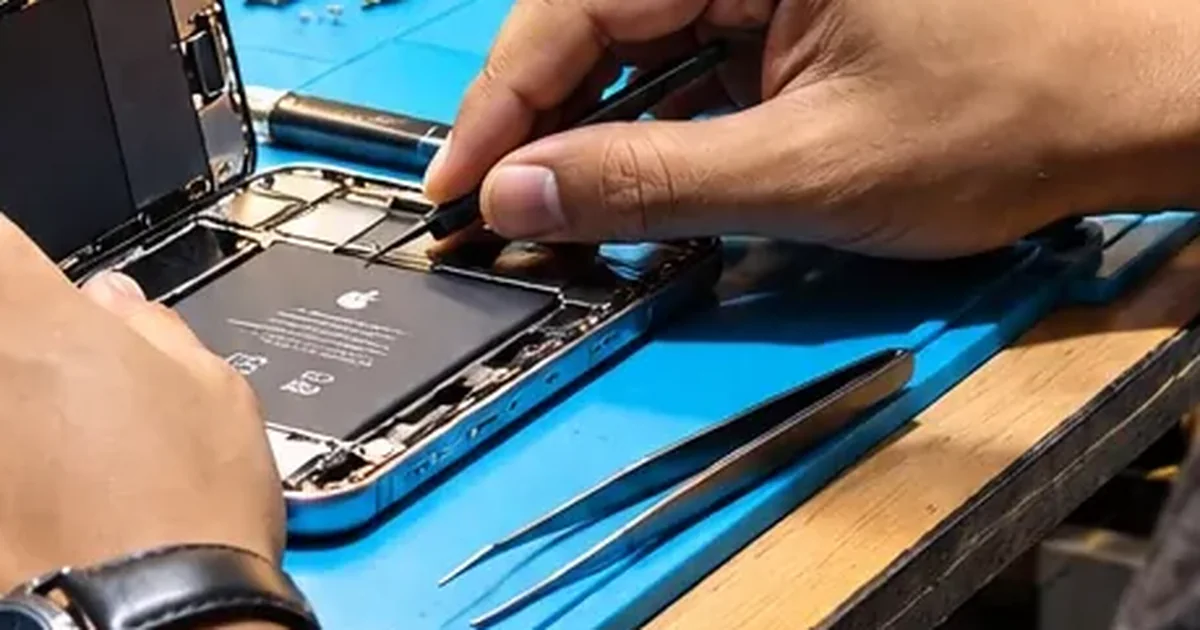
| Battery worn, everything else fine, keeping it 1–2 years | Replace the battery. Far cheaper than a phone, and it fixes the thing you actually notice daily. |
| Cracked screen, phone otherwise sound, keeping it | Worth repairing — same logic |
| Two or three things wrong at once | Put the money toward a replacement instead |
| Phone dead, and it is six years old | Get it diagnosed — mainly to recover the data. Then decide. |
| Nothing wrong, just no updates | Do nothing yet. Start budgeting for next year. |
The mistake we see most often is someone replacing a perfectly good phone because of a worn battery, which is a consumable part and the cheapest repair there is. The opposite mistake — spending heavily on an old phone with several faults — is rarer but more expensive.
We work through this properly in repair or upgrade your iPhone, by fault, and how long an older iPhone can really last.
Things worth doing today, whatever you decide
1. Install the last update your phone was offered. Settings → General → Software Update. Being on the final supported version of your iOS is meaningfully safer than being two versions behind it.
2. Back it up. Older phones fail with less warning. If storage is the reason you have not backed up, here is how to sort that out without paying for it.
3. Check the battery. Settings → Battery → Battery Health & Charging. Below 80% capacity, a replacement transforms an older phone. See when an iPhone battery needs replacing.
4. Be sceptical of one specific claim. Nobody can install a newer iOS than your model supports. It is tied to the processor. Anyone offering that is describing something that does not exist.
If you are buying a replacement
Do not assume you need the newest model. An iPhone bought today will get updates for years regardless of which one you choose, and the gap between the cheapest and the dearest current model is enormous.
Buying second-hand instead? Run through the 12 checks to do before you pay — a used iPhone is often the best value in the market, provided it is not carrying someone else’s account lock.
We keep every iPhone on sale in India, with prices, colours and storage on one page — including which one we would actually tell a friend to buy. We do not sell phones, so we have nothing riding on the answer.
Not sure whether your old iPhone is worth putting money into? Tell us the model and what it is doing. If our answer is “keep it as it is” or “put that money toward a new one instead”, that is what you will get.
Contact us → · iPhone repair in Guwahati → · Phone: +91 91271 99144