How Every Repair Works
Four steps, in the same order, every time — designed so you always know what's happening with your device and what it will cost before it costs anything.
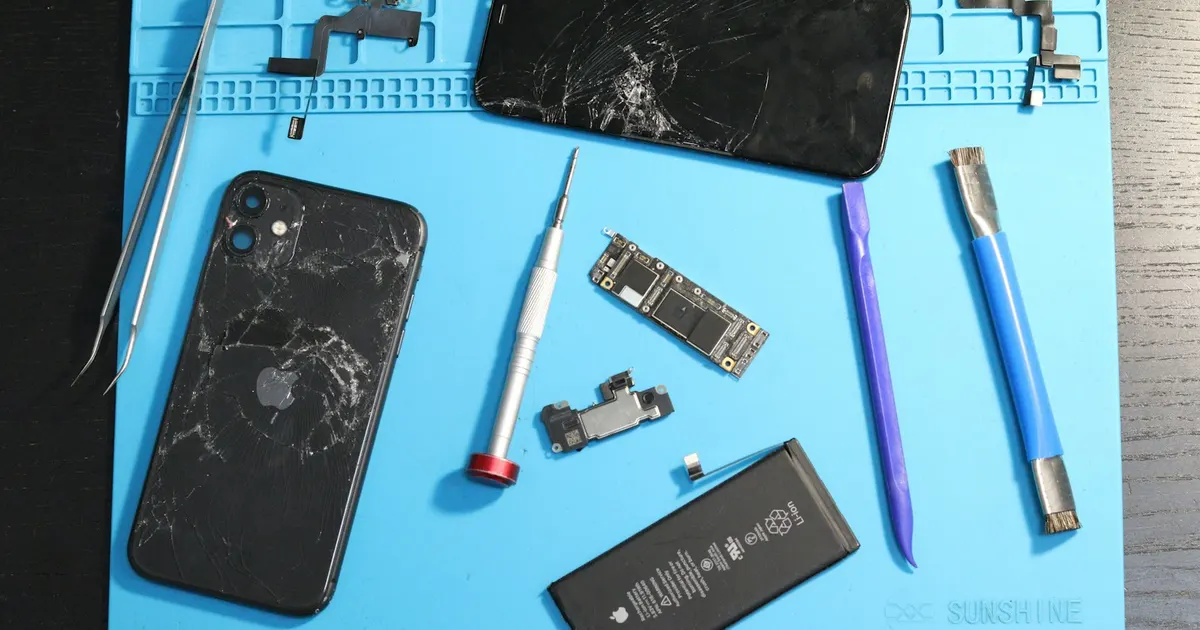
-
Diagnose
Your device is examined by a technician — visually, electrically and, where needed, under the microscope. We identify the actual fault, not just the visible symptom: a "broken screen" with a bent frame, a "charging problem" that is really a board fault.
Diagnosis carries a fee, and it is waived when you go ahead with the repair with us. We are upfront about this: a proper diagnosis takes real bench time, and charging for it is what lets us give every device a thorough look rather than a rushed guess.
-
Explain
You get a plain-language explanation of what failed and why, the repair options (there is often more than one), part choices where relevant, and a clear quote for each option.
No work begins until you approve. If a repair is not worth doing, we say so — an honest "don't repair this" is part of the service.
-
Repair
The approved repair is carried out with quality parts and proper tooling — controlled heat for adhesive-mounted parts, ESD-safe handling, microsoldering where the fault is on the board.
If we find anything unexpected once the device is open, we stop and call you before proceeding.
-
Test & Return
Before return, the device goes through a function test appropriate to the repair: touch and display, cameras, speakers and mics, charging (wired and wireless where applicable), sensors, Face ID / Touch ID, thermal behaviour under load for Macs.
You get your device back working — with a written warranty on eligible repairs.
Why the process matters
Most bad repair experiences come from skipped steps: no real diagnosis, so the wrong part gets replaced; no clear quote, so the price grows; no testing, so the device comes back with a new problem. Our process exists to make those failures impossible — it's the same discipline whether we're fitting a battery or rebuilding a liquid-damaged logic board.
Have a question about a specific repair? See our services, the warranty terms, or the FAQ.
Your Data, Before You Hand It Over
Repair work and data safety are two separate things. Here's the honest position, and what you should do before any device goes in for repair — with us or anyone else.
Back up first. Always.
No repair shop can promise your data will survive every repair. Most repairs don't touch your data at all — a screen or battery replacement leaves storage untouched. But if a device arrives already dead, water-damaged, or with a failing logic board, the data may already be at risk before we ever open it. On Apple Silicon Macs and modern iPhones, storage is tied to the board, which makes recovery a specialist job rather than a routine one.
So: back up to iCloud or a computer now, while the device still works. If it no longer powers on, tell us straight away that the data matters — that changes how we approach the repair from the very first step.
Know your Apple ID password
After certain repairs a device needs to be verified before it can be set up and used again. If you can't sign in to your Apple ID, that can stop a perfectly good repair from being completed. Check you know the password before you come in — and if you use two-factor authentication, make sure you can receive the code.
Find My and Activation Lock
Apple devices with Find My enabled are protected by Activation Lock, which ties the device to your Apple ID. This is a good thing — it's what makes a stolen iPhone worthless. It also means no repair shop, ours included, can bypass it, and we won't pretend otherwise. If you're asked to disable Find My as part of a repair, understand why it's being asked and re-enable it afterwards.
A note on passcodes
Some repairs genuinely can't be fully tested without unlocking the device — you can't verify Face ID, the cameras or the speakers on a locked phone. If you'd rather not share your passcode, say so; we'll tell you honestly which tests we can and can't complete without it, so there are no surprises when you collect the device.
Before you come in — quick checklist
- Back up to iCloud or a computer if the device still works
- Check you know your Apple ID password and can receive 2FA codes
- Remove your SIM card and any memory cards or accessories
- Take off cases, straps and screen protectors if you want to keep them
- Note down what's actually wrong, and when it started
- Tell us about any previous repairs, drops or spills — all of it helps
Read how we handle your information in our privacy policy.
What Diagnosis Costs
Diagnosis is chargeable, and the fee is waived if you go ahead with the repair with us. A proper diagnosis takes real bench time, and charging for it is what lets us give every device a thorough look rather than a rushed guess.
| Device | Diagnosis fee |
|---|---|
| iPhone | ₹500 — Inclusive of all taxes |
| iPad | ₹700 — Inclusive of all taxes |
| MacBook | ₹2,500 — Inclusive of all taxes |
Go ahead with the repair and you pay no diagnosis fee at all. It is deducted in full — the amounts above apply only if you decide not to have the device repaired with us.
Fees last updated 25 September 2026. Confirm the current figure when you book.
Why we charge for it. A real diagnosis means bench time, tools and a technician's attention — often under a microscope. Charging for that, and waiving it when you go ahead, keeps the workshop focused on people who actually want their device fixed. It is also why our diagnosis is thorough rather than a five-minute guess.
Start With a Proper Diagnosis
Talk to our technicians today — get a proper diagnosis and a clear quote before any work begins.
Walk-ins welcome at Bhangagarh, Guwahati · Pickup & drop available