iPad Battery Replacement · Bhangagarh, Guwahati
iPad Dying Too Fast?
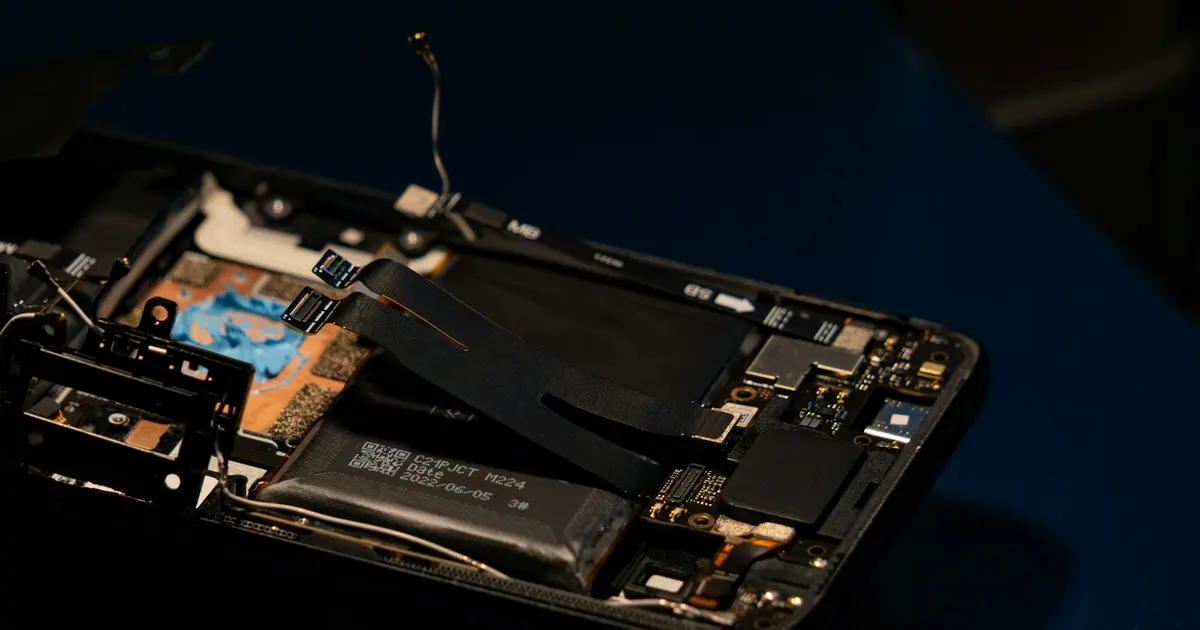
iPads often serve for many years — long enough for the battery to wear out well before the rest of the tablet. If your iPad drains overnight, dies at random or has a screen starting to lift, a battery replacement can add years of life to it.
What This Repair Covers
- Battery replacement across iPad, Air, Mini and Pro models
- Swollen battery removal (screen-lifting cases)
- Charging problem diagnosis — battery vs port vs board
- Post-replacement charging and runtime verification
Signs You Need This Repair
- Battery drains much faster than it used to
- iPad shuts down with charge still showing
- Screen lifting from the body — likely a swollen battery
- Only powers on while plugged in
- Charges extremely slowly even with a good adapter
What Could Be Wrong
- Cycle ageing
- iPads are often kept for many years, so batteries reach end of life through normal use.
- Heat and charging habits
- Charging in hot conditions or leaving it plugged in permanently accelerates wear.
- Swelling
- An ageing cell expands and pushes the display upward — visible as a lifting edge or a gap around the screen.
- Charging port or circuit fault
- What looks like a battery problem is sometimes a charging fault instead.
What We Check
Before any quote, and before anything is opened up:
- Read actual battery health, cycle count and voltage
- Check for swelling and screen lift around the frame
- Test the charging port and charging circuit
- Check for previous repairs or liquid exposure
How We Handle It
iPad batteries are large, glued down firmly, and sit behind a display that must be removed first — which makes DIY replacement genuinely risky. Our technicians open iPads with proper heat and tooling, replace the cells, and reseal the display correctly.
Because slow charging and shutdowns can also come from a worn charging port or a board fault, we test the charging chain during diagnosis rather than assuming the battery. You pay for the fix your iPad actually needs.
Your Repair Options
- Battery replacement
- The worn or swollen cell is removed carefully and replaced, then charging and runtime behaviour verified.
- Charging circuit repair
- Where the charging port or circuit is the real fault, that is repaired instead.
- Battery plus screen
- If a swollen battery has already damaged the display, both need addressing. We explain that before starting.
Models We Work On
iPad, iPad Air, iPad mini and iPad Pro across generations, subject to parts availability.
Still using an older device? That's completely fine. We've been repairing Apple devices for 10+ years, so older models are part of what we see every day. Whether a specific repair is possible depends on the model, parts availability, the type of damage and the device's overall condition — tell us what you have and we'll give you a straight answer.
What Affects the Price
We don't publish fixed prices, because an honest quote depends on what we actually find. These are the things that move it:
- Your exact iPad model and generation
- Whether swelling has damaged the display or frame
- Whether the charging port also needs work
- The condition of the adhesive and chassis
Diagnosis carries a fee — waived when you go ahead with the repair. You get a clear quote before any work starts. Send us your device details or call +91 91271 99144 for a device-specific estimate.
What To Do — And What Not To
Do this
- Back up before bringing it in
- Stop using it if the screen is visibly lifting
- Note how long a full charge actually lasts
- Bring the charger and cable you normally use
Avoid this
- Do not press a lifting screen back down
- Do not keep charging a visibly swollen iPad
- Do not leave it charging overnight in a hot room
- Do not attempt a DIY battery removal — the adhesive and battery chemistry make this genuinely risky
Every repair follows our four-step process — diagnose, explain, repair, test — with a clear quote before work begins and a warranty on eligible repairs. See how it works · Warranty details
FAQ
iPad Battery Replacement — Common Questions
How do I know my iPad needs a new battery?
Is it worth replacing the battery on an old iPad?
Need iPad Battery Replacement in Guwahati?
Talk to our technicians today — get a proper diagnosis and a clear quote before any work begins.
Walk-ins welcome at Bhangagarh, Guwahati · Pickup & drop available
Visit Us
Find iFix Guwahati in Bhangagarh
We're on Shillong Road (GS Road side), near Opal Infomatics — easy to reach from Ulubari, Dispur, Ganeshguri and anywhere in Guwahati.
iFix Guwahati
Ground Floor, Syed Market Complex,Shillong Road, near Opal Infomatics,
Bhangagarh, Guwahati, Assam 781005
Opening Hours
- Monday – Saturday10:00 AM – 7:00 PM
- SundayClosed
weather: Guwahati airport observation (NOAA) / MET Norway